Give every lead an owner
Capture or import leads and assign them to the relevant team members.

RELATIONSHIPS / SALES FOLLOW-UPS
Customer Relationship Management
Organize leads, customer communication and sales opportunities so your team can follow up with context.

Capture or import leads and assign them to the relevant team members.
Keep calls, meetings, follow-up outcomes and opportunity stages connected.
Review lead sources, pipelines and follow-up activity through sales analytics.
INSIDE THE SOFTWARE
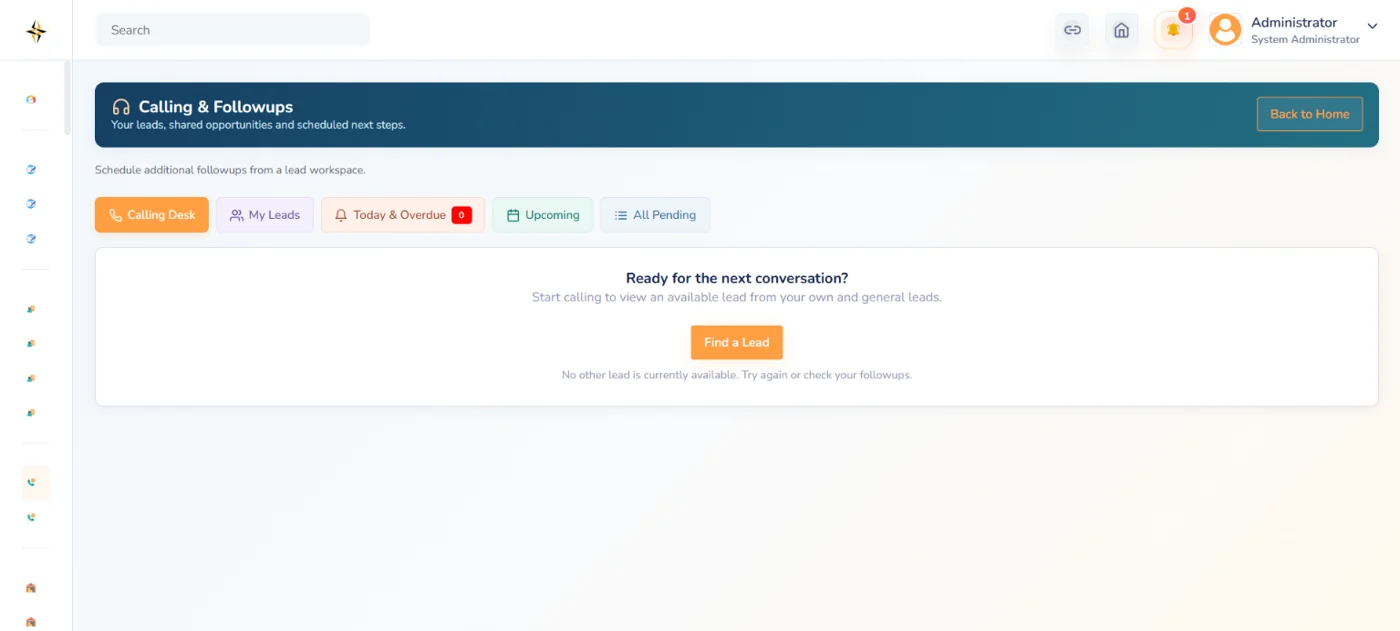
An actual Digitalso interface preview. Request a walkthrough to review your specific workflows and configuration.
THE ACTUAL WORKFLOW
Original Digitalso screens from the relevant workflow. Open an image to inspect it at full size.
 View full screen
Actual Digitalso lead capture interface
 View full screen
Actual Digitalso calling and follow-up interface
 View full screen
Actual Digitalso CRM reporting menu
THE DETAILS THAT MATTER
Explore the core capabilities. Configuration and implementation details are agreed around your requirements.
Capture, organize and maintain business enquiries.
Import existing lead records into your CRM.
Assign and transfer leads between team members.
Track opportunities through defined sales stages.
Schedule follow-ups and record their outcomes.
Maintain records of calls, meetings and customer interactions.
Convert eligible leads into customer records.
Prepare commercial documents for potential customers.
Maintain customer agreements and related approvals.
Review pipelines, lead sources and follow-up performance.
Control visibility and actions according to user roles.
A CLEAR WAY FORWARD
YOUR QUESTIONS
Need to check a specific requirement? Let’s review it in your demo.
Yes. Lead import is included in the supplied CRM features. We will review your source data and the required fields before migration.
Yes. Access permissions control visibility and actions according to the user roles configured for your team.
CONNECT THE NEXT PART
LET’S BUILD SOMETHING USEFUL
Share your requirements. We’ll help you find the right starting point.